Connect to litd
Two ways to wire ThunderHub to Lightning Terminal — alongside an existing LND (remote mode) or with litd's embedded LND.
Lightning Terminal (litd) bundles LND, Loop, Pool, Faraday, and Taproot Assets (tapd) into one daemon. ThunderHub talks to litd over the LND gRPC endpoint (port 10009 by default) and exposes Taproot Assets when you set type: litd.
Pick the path that matches your setup:
- Remote mode — you already run LND; bolt litd onto it.
- Embedded LND — litd manages everything end-to-end.
ThunderHub connects on port 10009 (LND gRPC), not 8443 (litd HTTPS UI). The litd UI is still useful for Loop/Pool/Faraday; ThunderHub is for node management and Taproot Assets.
Remote mode (existing LND, litd on top)
The most common production setup. litd connects to your existing LND over gRPC and adds Loop, Pool, Faraday, and Taproot Assets — without touching LND's wallet or channels.
Prerequisites
- LND v0.18.0+ with gRPC reachable.
- LND's TLS cert and admin macaroon.
- Docker if you'll run ThunderHub from the image.
1. Install litd
Download a release from github.com/lightninglabs/lightning-terminal/releases:
tar -xzf lightning-terminal-<version>-<os>-<arch>.tar.gz
sudo install -m 0755 lightning-terminal-<version>-<os>-<arch>/litd /usr/local/bin/
git clone https://github.com/lightninglabs/lightning-terminal.git
cd lightning-terminal
make install2. Configure ~/.lit/lit.conf
# -- litd in remote mode --
lnd-mode=remote
network=mainnet

# -- connection to your existing LND --
remote.lnd.rpcserver=127.0.0.1:10009
remote.lnd.macaroonpath=/path/to/.lnd/data/chain/bitcoin/mainnet/admin.macaroon
remote.lnd.tlscertpath=/path/to/.lnd/tls.cert

# -- litd UI --
uipassword=your-secure-ui-password
httpslisten=0.0.0.0:8443
Replace the paths with your actual LND data dir. If LND is on a different
host, set remote.lnd.rpcserver to its IP and ensure the gRPC port is
reachable from the litd machine.
3. Start litd
Foreground:
litd --uipassword=your-secure-ui-passwordOr as a systemd unit:
# /etc/systemd/system/litd.service
[Unit]
Description=Lightning Terminal Daemon
After=lnd.service

[Service]
ExecStart=/usr/local/bin/litd
User=bitcoin
Restart=always
RestartSec=30

[Install]
WantedBy=multi-user.target
sudo systemctl enable --now litd4. Connect ThunderHub
Your LND port and macaroon are unchanged — point ThunderHub at LND directly and set type: litd to expose Taproot Assets:
masterPassword: 'your-secure-password'
accounts:
  - name: 'My Node'
    type: litd
    serverUrl: '127.0.0.1:10009'
    macaroonPath: '/lnd/admin.macaroon'
    certificatePath: '/lnd/tls.cert'
docker run -d \
--name thunderhub \
-p 3000:3000 \
-e ACCOUNT_CONFIG_PATH=/data/thubConfig.yaml \
-v $(pwd)/thubConfig.yaml:/data/thubConfig.yaml:ro \
-v $HOME/.lnd:/lnd:ro \
apotdevin/thunderhub:latestYou now have:
- LND — unchanged.
- litd — Loop / Pool / Faraday / tapd on
https://your-node:8443. - ThunderHub — node management + Taproot Assets on
http://localhost:3000.
Architecture
┌──────────────┐     gRPC      ┌──────────────┐
│  ThunderHub   │──────────────▶│     LND      │
│   :3000       │               │   :10009     │
└──────────────┘               └──────┬───────┘
                                      │ gRPC
                               ┌──────┴───────┐
                               │   litd        │
                               │ (remote mode) │
                               │   :8443       │
                               │               │
                               │  ┌─ Loop      │
                               │  ├─ Pool      │
                               │  ├─ Faraday   │
                               │  └─ tapd      │
                               └──────────────┘
Embedded LND (litd runs its own LND)
If litd is the only Lightning daemon on the machine, it runs its own embedded LND and exposes the same gRPC port 10009 from the litd process.
Locate credentials
| File | Default path | Notes |
|---|---|---|
| TLS cert | ~/.lit/tls.cert | Used for the gRPC connection. |
| Admin macaroon | ~/.lnd/data/chain/bitcoin/mainnet/admin.macaroon | Even with embedded LND, macaroons live in ~/.lnd. |
The admin macaroon path is always under ~/.lnd, not ~/.lit — litd
embeds LND but stores macaroons at LND's standard location.
Configure ThunderHub
masterPassword: 'your-secure-password'
accounts:
  - name: 'My litd'
    type: litd
    serverUrl: '127.0.0.1:10009'
    macaroonPath: '/lnd/admin.macaroon'
    certificatePath: '/lit/tls.cert'
serverUrl is the LND gRPC port 10009, not the litd HTTPS UI port 8443.
Docker on macOS / Windows: replace 127.0.0.1 with host.docker.internal. On
Linux, use the host's LAN IP or pass --network=host.
Run ThunderHub
docker run -d \
  --name thunderhub \
  -p 3000:3000 \
  -e ACCOUNT_CONFIG_PATH=/data/thubConfig.yaml \
  -v $(pwd)/thubConfig.yaml:/data/thubConfig.yaml:ro \
  -v $HOME/.lnd:/lnd:ro \
  -v $HOME/.lit:/lit:ro \
  apotdevin/thunderhub:latest
Or via Compose:
services:
  thunderhub:
    image: apotdevin/thunderhub:latest
    restart: unless-stopped
    ports:
      - '3000:3000'
    environment:
      - ACCOUNT_CONFIG_PATH=/data/thubConfig.yaml
    volumes:
      - ./thubConfig.yaml:/data/thubConfig.yaml:ro
      - ~/.lnd:/lnd:ro
      - ~/.lit:/lit:ro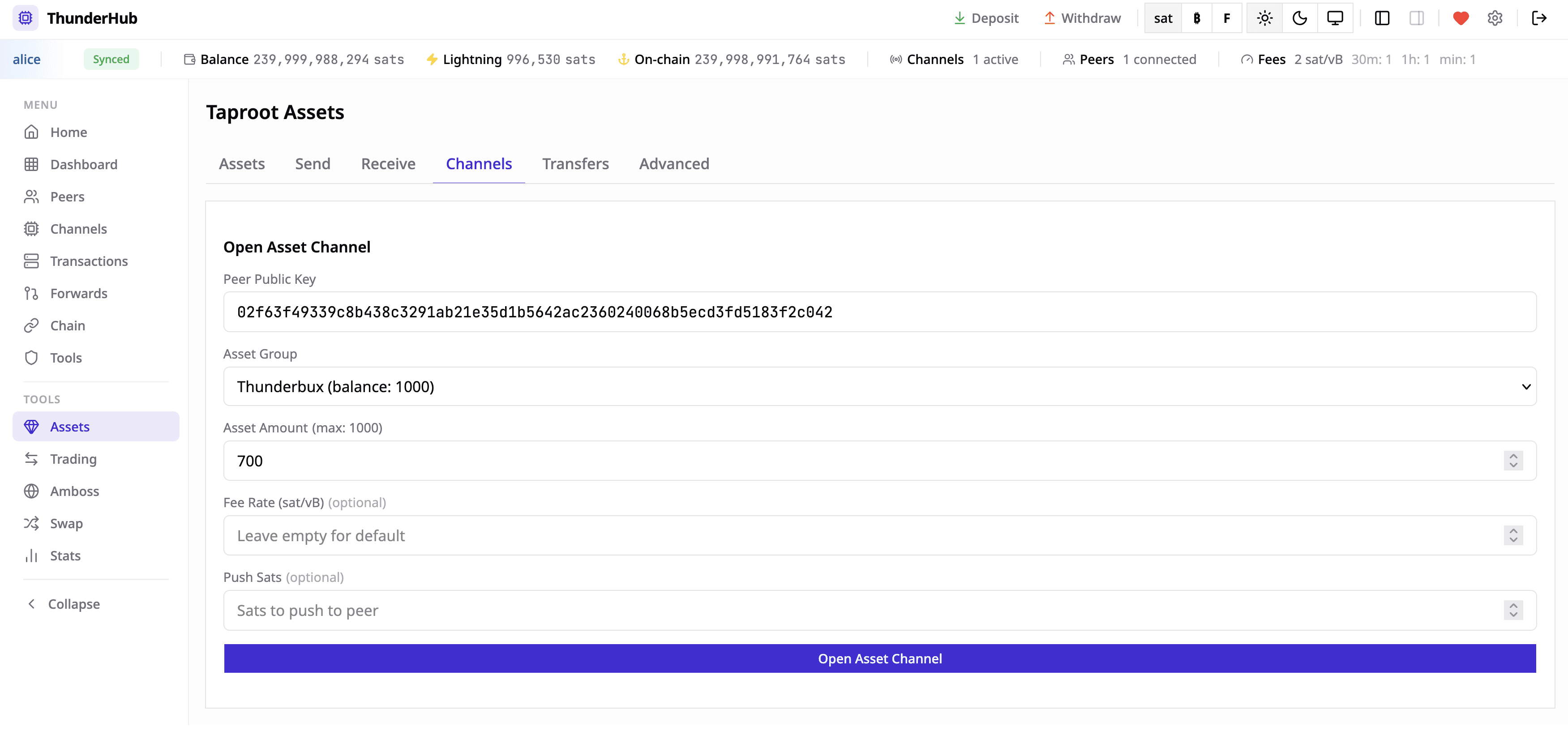
Troubleshooting
unable to connect to LND—remote.lnd.rpcserver(litd) orserverUrl(ThunderHub) must point at the LND gRPC port. Verify withlncli getinfofrom the same machine.permission denied— the macaroon needs admin scope;chmod 600the file so litd can read it.TLS handshake failure—remote.lnd.tlscertpathmust be the current LND cert. Regenerating LND's TLS cert invalidates old copies — re-copy on rotation.- Taproot Assets UI is missing —
type: litdis required in the YAML (or pick litd in the UI when using DB nodes). Plaintype: lnddoesn't load the tap GraphQL fields. - Docker on Linux can't reach the host —
host.docker.internalonly resolves on macOS/Windows. On Linux, use the host's LAN IP or--network=host.